Your sleep data is already being collected
If you wear an Apple Watch, an Oura ring, a Garmin or a similar device, it is probably recording your sleep every night. On iPhone that data is shared through Apple Health. On Android it's shared through Health Connect. The problem is that it usually sits in one app, away from everything else you track.
What's worth syncing
You don't need every metric. These are the ones most people look at:
- Sleep duration and stages: total time asleep, plus deep, REM and core sleep where your device records them.
- Heart rate variability (HRV): often used as a rough read on recovery.
- Resting heart rate: a simple number that tends to move with training load, stress and illness.
- Blood oxygen and wrist temperature, if your device measures them.
Look at the week, not the night
One bad night is normal. What's more useful is the pattern across a week or a month:
- is your average sleep drifting down?
- does HRV dip after hard training days?
- does a new routine or a late-night habit line up with a change?
Having sleep next to your training, supplements and blood tests makes those patterns much easier to spot.
Connect once, then forget it
Manual entry rarely lasts. Syncing is better when it happens in the background: you connect once, give permission for the data you want, and new nights come in by themselves. Earlier nights can be filled in too, so you have history from day one.
Where the app comes in
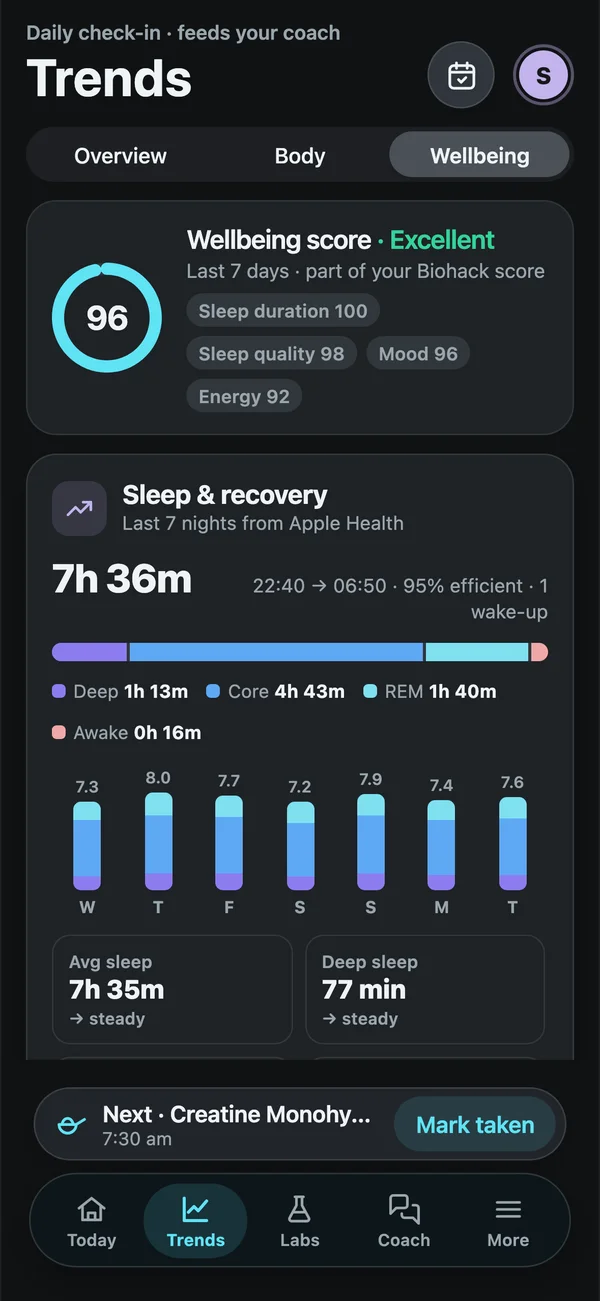
Biohack Tracker connects to Apple Health on iPhone and Health Connect on Android in one tap. Sleep, HRV and resting heart rate show up in your Wellbeing tab with 14-night averages and trends. The coach can also look at them alongside your routine and your labs when you ask a question.
